It takes about two minutes. Verify once, scan your Adopt Me profile, and your net worth and rank go live.
1
Verify your Roblox account
Connect your Roblox account once so the leaderboard can prove the pets you submit are really yours. You'll only do this a single time — go to Settings in the menu to get verified.
2
Open your Adopt Me profile
In the game, open the Adopt Me profile you want to submit so every pet you're claiming is visible on screen. Make sure the Verified Owner badge is showing — that's what Petora checks against your account.
3
Take one clear screenshot
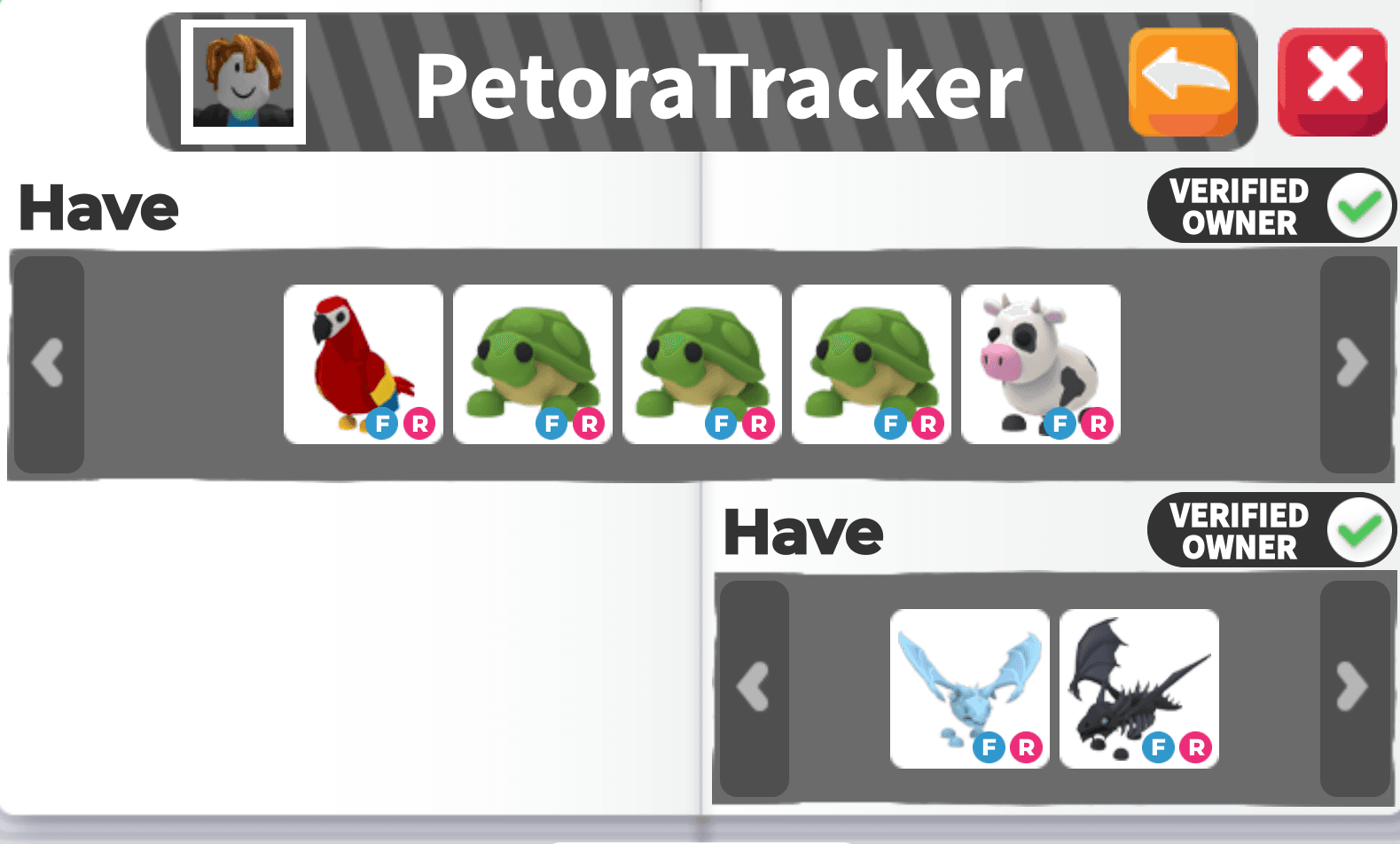
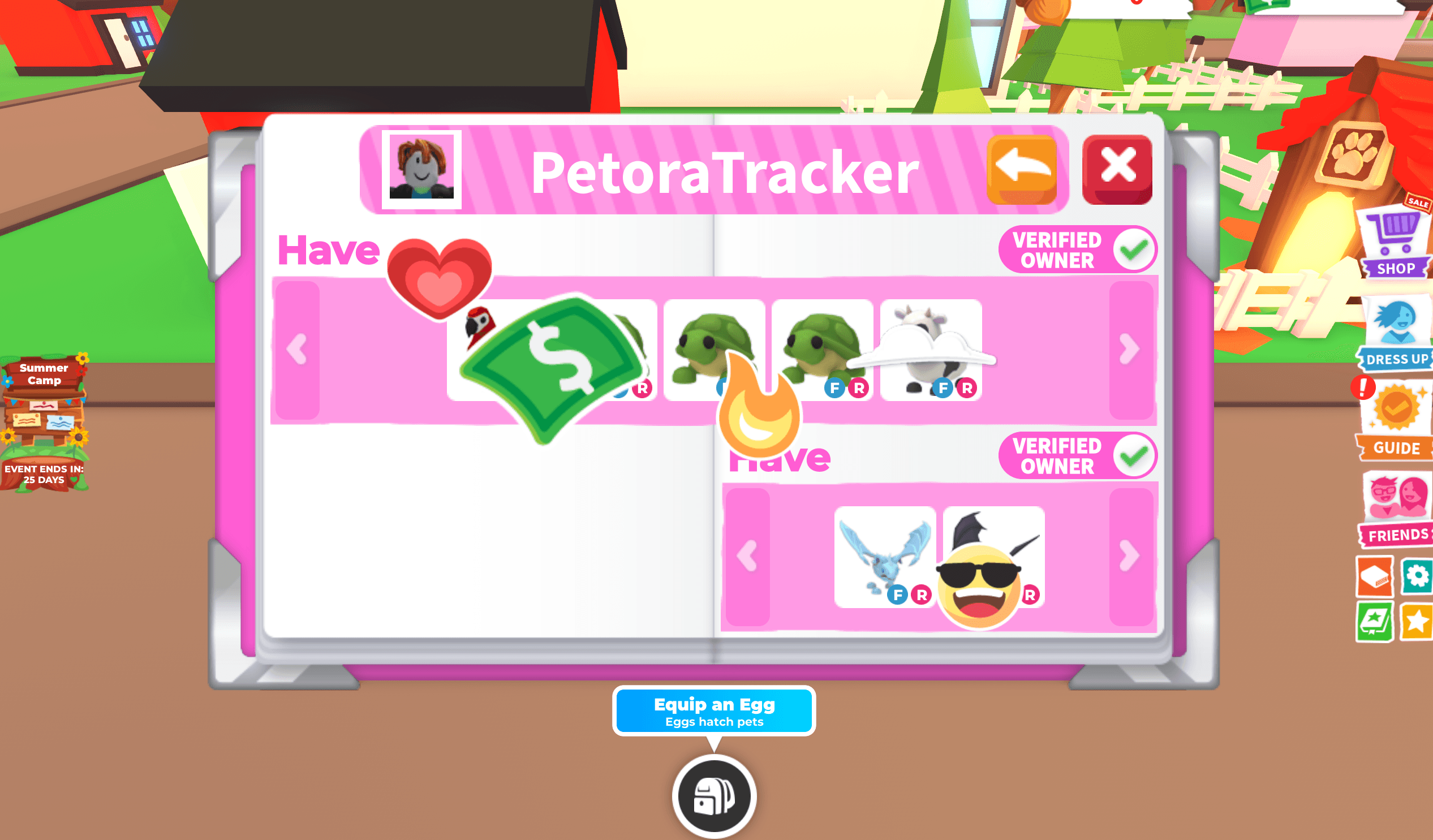
Capture your whole Adopt Me profile in a single shot, with your username visible at the top. This is the image you'll upload. Here's what a good submission looks like next to one that won't work:
✓ GoodOnly your Adopt Me profile in one shot, username at the top, nothing cropped or blocking it.✕Won't workCropped, blurry, or covered by a menu, with stickers covering the pets — Petora may misread or reject it.
4
Upload it on the Scan page
Open Scan, drop in your screenshot, and Petora reads every pet, values it from live market data, and posts your total to the leaderboard automatically.
5
Climb
Your net worth and rank update the moment the scan finishes. Re-scan whenever your inventory changes to hold your spot.
What makes a good screenshot
Your full Adopt Me profile fits in frame — nothing cut off at the edges.
Your username is readable at the top.
No menus, chat, or pop-ups covering any pets.
Bright enough that every pet is easy to see.
Free accounts can submit twice every 24 hours, so make your screenshot count. Premium can re-scan up to 10 times every day.
Ready to see your rank?
One screenshot is all it takes — your pets, valued and on the board in seconds.